This is my mini review of the ASUS ProArt 2026 GoPro Edition which I've owned for about a month now. This review is extremely opinionated, with some colorful language. If that bothers you, go away and never come back.
AI disclaimer: Every single word here is written by a human (me). Not a single trace of AI slop.
Anyway, here's what we're dealing with:
- Processor: AMD Ryzen AI Max 395+ (aka Strix Halo)
- RAM: 128 GB unified memory (there are some claims of only 96 GB VRAM addressable for inference. Those claims are bullshit - you can use pretty much the entire thing)
- GPU: Radeon 8060S (integrated)
- OS: Ships with Windows 11 Home (I switched to Fedora Linux 44; software review coming soon)
- Screen: 13.3 inch OLED, 16:10 ratio
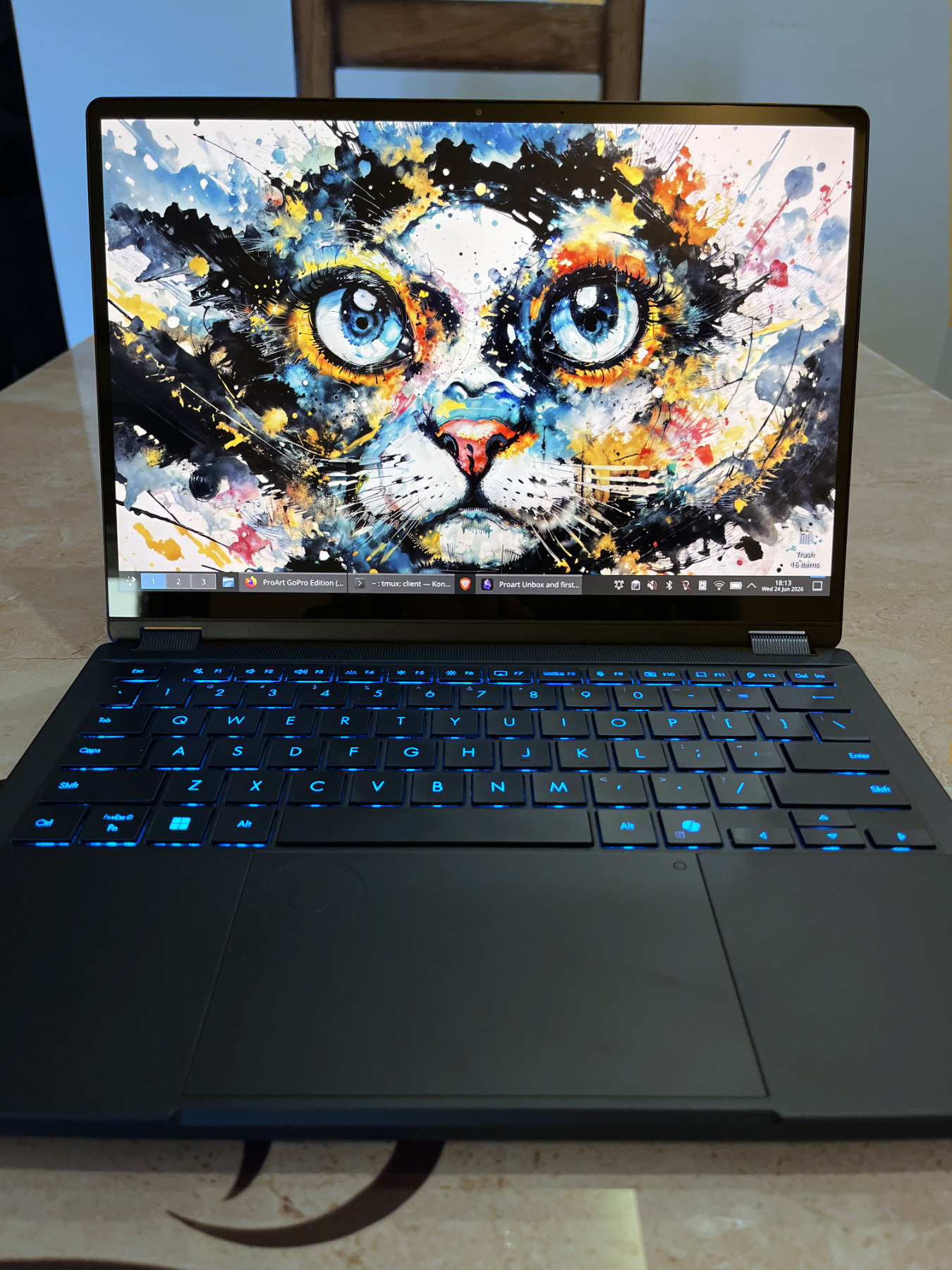
¶Local LLMs: What's a man to do?
Or, why this machine?
In one sentence: I needed something to run local AI models on.
In multiple sentences: I bought this laptop because AMD's high (V)RAM systems are actually available, unlike Nvidia and Apple equivalents which are perpetually out of stock or super overpriced. The 128 GB unified memory lets you run 40B+ parameter models locally at usable speeds and at full context length (usually 250k+). Image gen workloads are passable too.
For AI workloads, dedicated GPUs are way faster than this. However, I hate being (V)RAM poor. I can deal with slightly lower speeds, I just never want to think about context lengths or if big the large quants (Q6 or Q8) will fit. Ever.
If a model supports 256k context length, I want to be able to use it. I don't care if the tiny model goes 1000 tok/s on a dedicated GPU if it craps out at 60k context length. I care about quality. A large, smart, but slow model at 200k+ context is acceptable. A small, stupid, but fast model at 100k is not.
That said, I still try to optimize my setup, as long as it's not too much work with experimental branches of llama.cpp and the like.
On to the review.
¶Build quality: 10/10
Smooth. Sturdy. Grippy. No creaking or flexing. Feels expensive to the touch.
Screen has a slight give/bouncyness to it when you put (read: slam) it on a surface, but nothing you'll encounter in daily usage. This is the least amount of flex I've seen on a "yoga" style laptop. That's right, it's a bendy boi.
It also has an MIL-STD-810H rugged certification, which is a U.S. Department of Defense standard, which is apparently a big deal. I hope I never get to test these claims.
¶Looks: 7/10
Other than the beautiful keyboard lighting, I'm... not a fan. The thing is, it would look fine, like any other pure black laptop, but it's the vertical line GoPro aesthetic that makes it slightly unattractive (though some people love it).
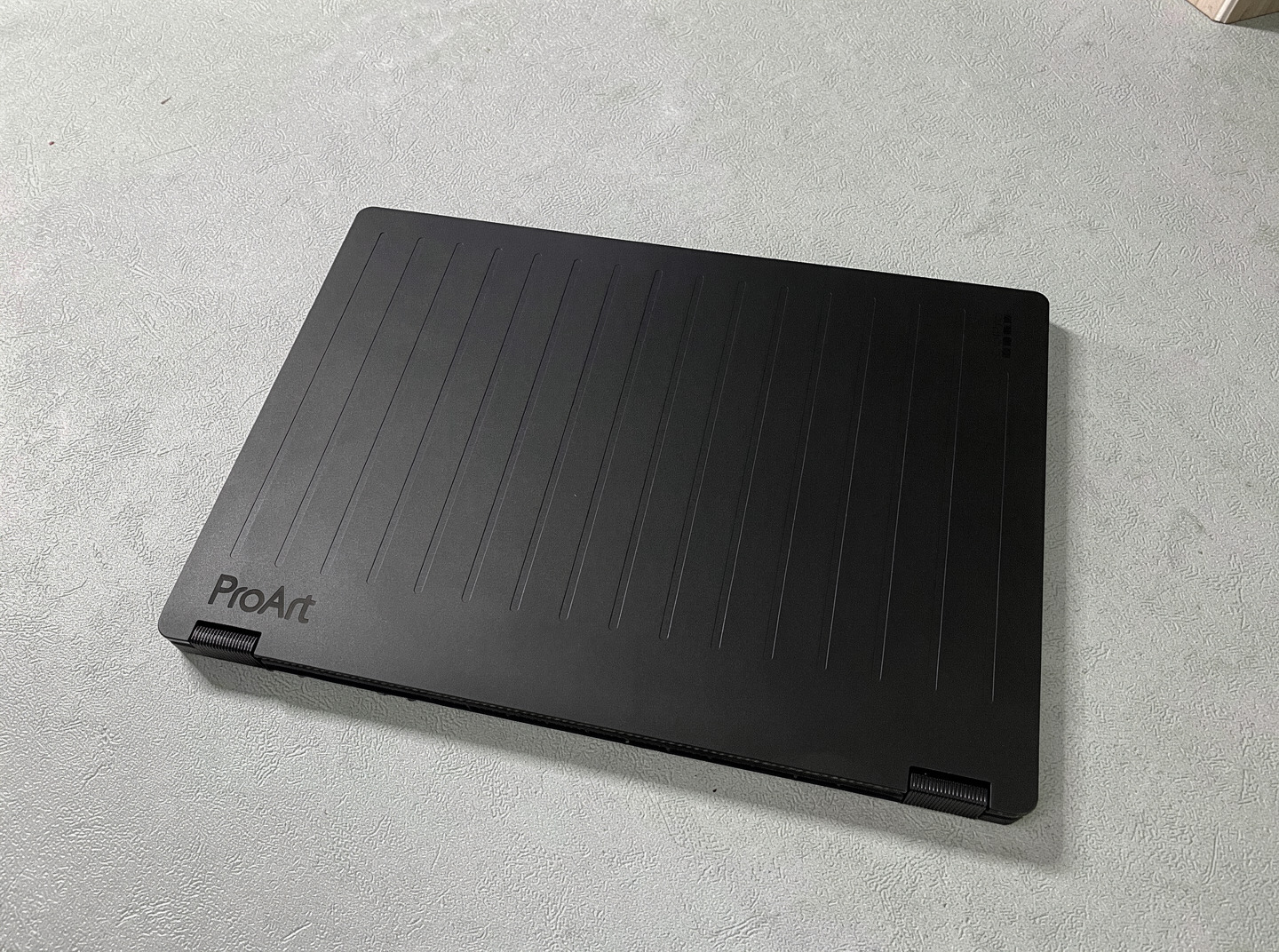
Doesn't look bad per se, but not good either.
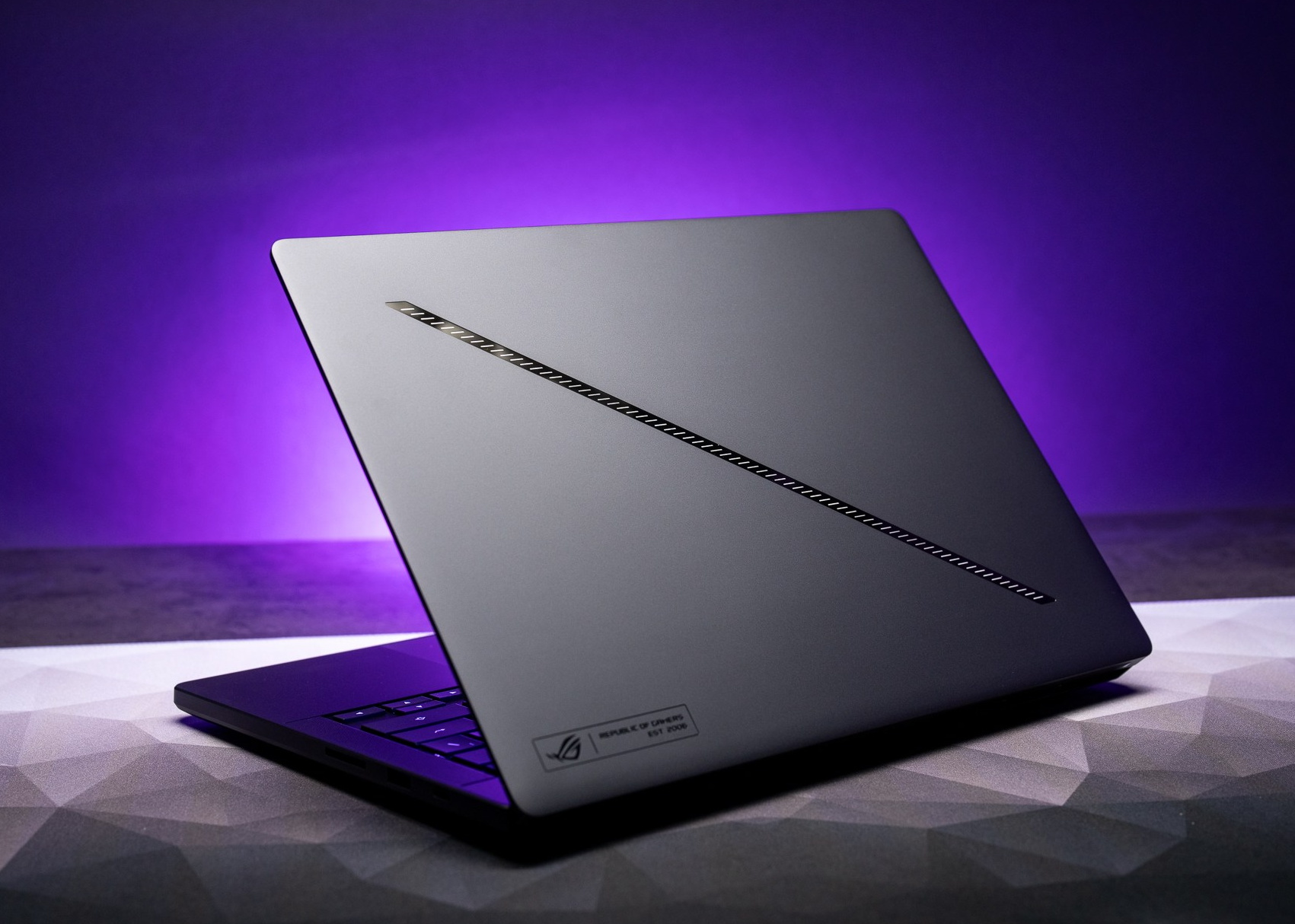
Which is a shame because Asus knows how to design beautiful laptops, just look at the Zephyrus series (image courtesy TheVerge):
¶Weight / portability: 10/10
Lightweight (1.4 kilos), well-balanced, extremely portable, grippy. I can't imagine this kind of laptop being any lighter.
The power brick is kind of big, but for good reason - it's 200 W, and you can charge it with a regular USB C charger and cable. Just don't expect it to run at full power with an 80 W USB C charger.
¶Camera / microphone: ??/10
I haven't tried it so idk. It's probably okay. I don't plan to ever use it, so I have disabled it on the BIOS level.
There is no privacy cover. Bad decision. Every laptop, smartphone and tablet should have this. No exceptions.
¶Speakers: 0/10
That's right, zero. Not a typo. The speakers exist, but they don't make a sound.
At least not anymore, though they used to! The latest AMD chipset driver on Windows has a regression where speakers stop working altogether. Worth noting that the driver version Asus recommends still has working audio. Though you'll take a slight performance hit because of older drivers.
Note: This regression only applies to Windows. The speakers never worked on Linux in the first place, and they still don't. So technically Linux users never had to face a regression. Year of Linux on the Desktop ™️ any day now.
If it's any consolation, the headphone jack and bluetooth speakers work.
¶Screen: 9/10
Very nice, very crisp (3k resolution), tall-ish (16:10), glossy 13.3 inch touchscreen. I am thankful that 16:10 and sometimes even taller screens have made a comeback. 16:9 screens never made sense on a laptop where there are docks, menu bars, icons constantly taking up vertical space. If you disagree with this, you are wrong.
¶Gloss
I've been exclusively using matte screens for the past 5 years, so the glare in direct sunlight or well-lit rooms took me by surprise. The screen is nice and bright so it's definitely usable, but it's nearly impossible to work on without adjusting the angle, just like every other glossy screen.
¶Oh yes, it folds
Yep, the screen can rotate 360 degrees on its hinge, giving you a "tablet" mode. It's not something I ever plan to use, but it's there in case you want to browse the web or watch a movie lying in bed.
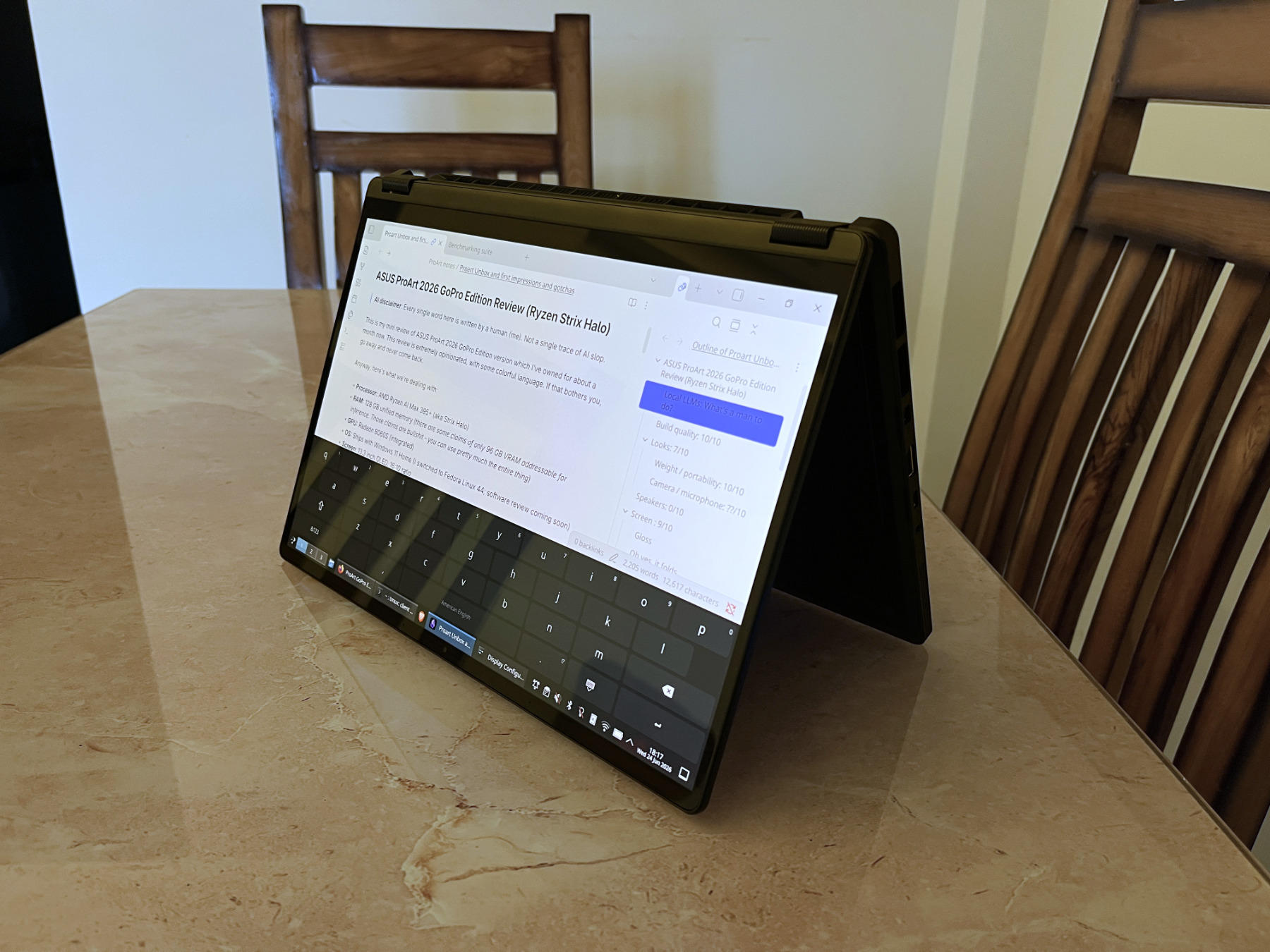
The ergonomics aren't great in tablet mode because of how heavy (compared to an iPad, not in general) the laptop is, plus the bezels are tiny, which is a great thing for a laptop, but not a tablet. The keyboard and touchpad get disabled the moment you rotate the screen more than 180°, as they should.
I hate smudgy, fingerprint-y screens, so I'm happy that the screen doesn't get smudgy when you use it as a tablet or drawing pad. Yay!
¶The pen: It depends/10
I'm not an artist, so take this "review" with a grain of salt.
It works, but at least with Krita on Linux, there is a substantial amount of latency compared to the gen 1 Apple pencil. It's not unusable, but the fact that it's beaten by 5-7 year old budget hardware is not a good look.
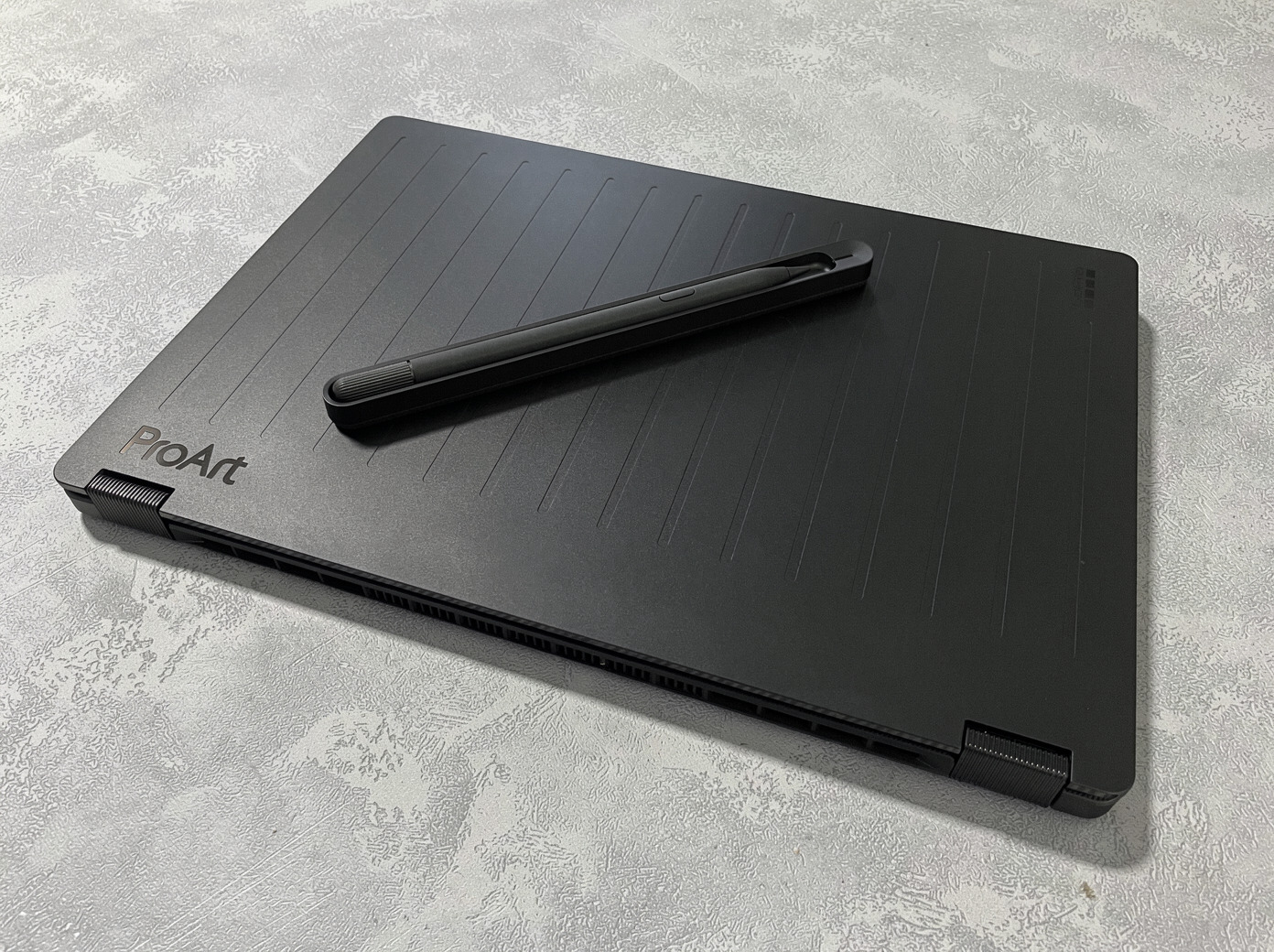
There's no way to charge the pen by itself - it comes with a charger. It sticks inside the charger magnetically that you connect to your laptop with a USB C cable. Slightly wobbly, but even with violent shaking and tapping (I went all the way), the pen did not fall out. Points for that.
The issue is, the charger is pretty big, and there is no place to put it on or around the laptop. The "official" way to carry it is in the bulky hardshell bag. 0/10 for carryability. Boo. It's another thing to break, lose, or forget at home.
On the flipside, I never expected getting a pen with the laptop and would've happily paid the same price for the laptop even if it didn't exist. So I consider this a good to have.
¶Trackpad: 9/10
Nice, large, responsive, silent. There is a round dial thing in the top-left corner. It's supposedly for navigating the timeline in certain video editing apps, which I don't do much of. Whenever I do edit video, it's with a larger screen and a mouse.
The dial does not bother me much, that area is also usable as a touch surface, so no lost functionality. But dedicating ~15% of the trackpad area to such a niche use-case is truly one of the decisions of all time.
Another thing I've noticed is that a bigger than usual portion of the trackpad's right side (compared to other laptops) does the right-click. Maybe I'm just not used to trackpads this big anymore, maybe it's Linux being Linux. Not a huge issue in any case.
¶Keyboard: 7.5/10
I'm writing this review on it and it's... okay. I don't hate it, I don't love it. Good travel, slightly mushy. It's adequate. You can use it all day and you won't complain, but won't be thrilled either. Not as good as a Zephyrus, ThinkPad, or Macbook keyboard, but usable.
The good
- The backlight is a beautiful shade of blue. I love it. Nicest looking keyboard I've seen in a while.
- The left and right arrow keys are smaller than the total size of the Up/Down key pair. Perfect.
- Most backlit keyboards have terrible contrast when the backlight is off. This one doesn't! It remains perfectly legible when lights are off. This is the first time I'm seeing contrast this good on a backlit keyboard. Kudos to whoever designed this.
The bad
- No spaces between every fourth F-key. I like it when there is a gap between the F4-F5, F8-F9 and F12-Del keys. Not a deal breaker, just a nice to have.
- Slightly mushy.
The TERRIBLE: Fuck whoever invented the Copilot key
Seriously, fuck you.
It's not remappable to anything useful, not even through PowerToys. Windows lets you remap it to just Copilot or Search. There's a "None" option, but it does not disable the button - it opens the Settings screen. I think there ways to remap it using AutoHotKey, but I bailed on Windows completely before I could find a fix.
It's also plain EVIL. They know that people will habitually reach out for the Right Ctrl key and press Copilot instead, jacking up the numbers in telemetry, artificially inflating the daily/monthly active users.
Just to clarify, this is Microsoft's fault, not Asus or AMD's. Every Windows PC these days is required to ship with the Copilot button.
¶Connectivity / ports: 9.5/10
Very, very good. Has everything you need. I would've liked a second USB A port, but it's not a deal breaker.
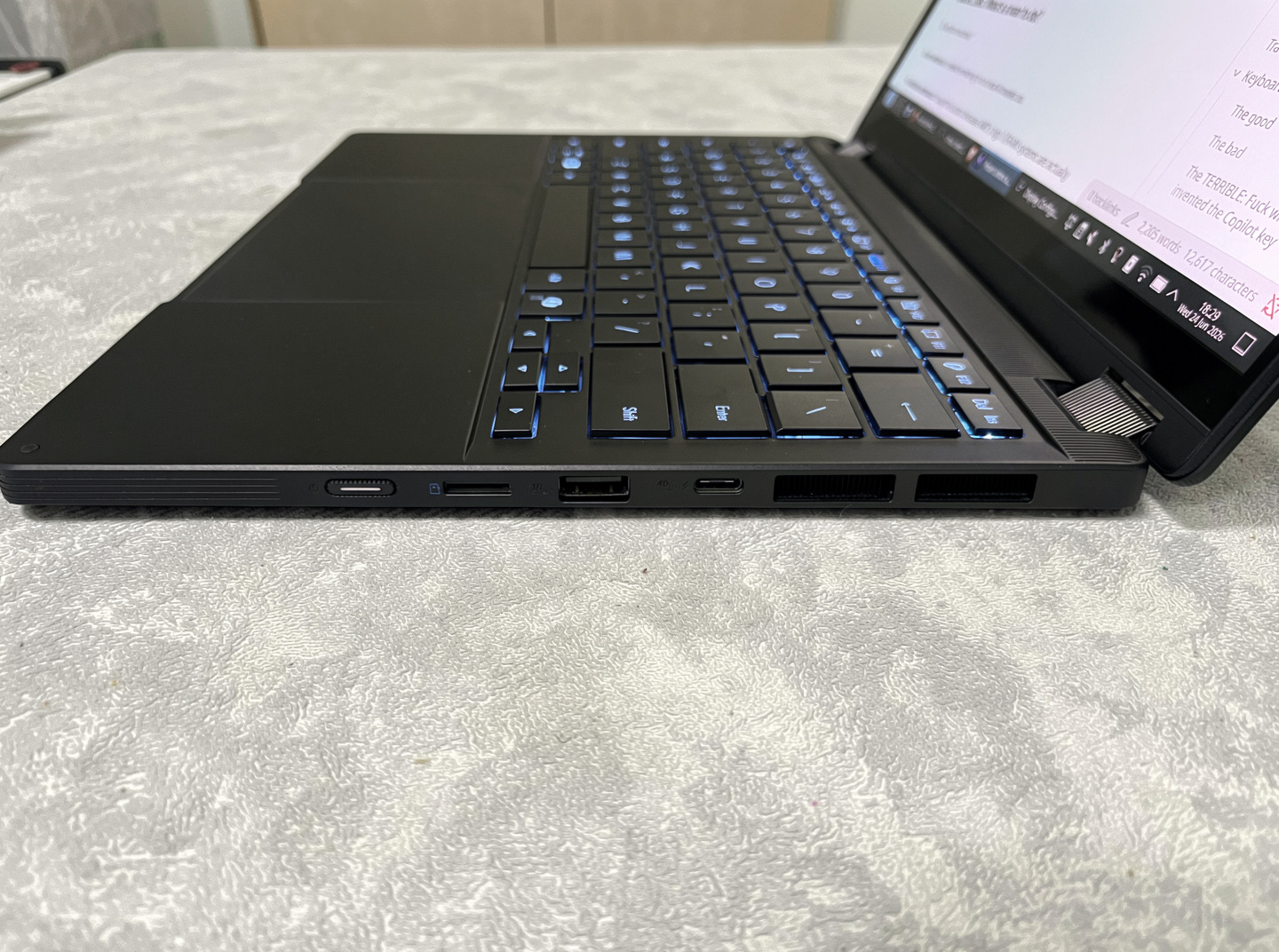
Left side: Charging port (the laptop comes with a 200W charger), 1x USB C Thunderbolt 4 port that supports charging and video out, 1x HDMI 2.1 FRL port (4K at 120Hz, 8K at 60Hz), and one 3.5 mm audio jack.
Right side: Micro SD card reader, 1x USB A port, 1x USB C Thunderbolt 4 port with charging and video out.
¶Shit nobody cares about (but I do)
Some of my gripes with the laptop. None of these are deal breakers, just little annoyances.
¶The power button is hard, small, and difficult to press
It's a tiny thing on the right, sits nearly flush with the side. I had a couple of system freezes while trying out an older Linux kernel version and keeping it pressed enough to force turn off the computer was quite a task. It also needs pressing and holding for longer than the average computer (so it seems).
I thankfully haven't had to deal with this issue since because suspend works on both Windows and Linux, but it's not great design.
¶Charging and power indicators are on the sides
If the laptop is on the table, in front of you, you have no way to know if it's on, suspended, or off, unless you walk up to it and check the right side.
It's made even worse by the fact that the charging indicator is on the other side of the laptop. So you can't tell if the laptop is charging, not charging, or fully charged. You have to move yourself or the laptop to the side to see what's up.
Not good design. Please put both in the middle of the laptop like everyone else. This needed no innovation.
¶No fingerprint reader
All laptops need this without exception. No, I don't want to use face recognition.
¶No physical camera cover
As mentioned before. Please do not skip this. Ever.
¶Thermals: 9/10
Normally, you won't hear the fans, especially if you are in balanced or powersave mode. However, when doing inference in performance mode, the laptop sounds like a fighter jet taking off. It's unbelievable.
The upside: Even when running inference continuously for hours, the laptop stayed in the 70-77 degree C range. Reaching 80 was extremely rare.
The big win: The keyboard and touchpad area remains completely cool and usable no matter how hot the silicon gets. This is a HUGE deal. It remains at a perfectly usable temperature as long as you use it on a table.
As common sense would dictate, keeping it in your lap will toast your legs and you'll be blocking the air vents. Don't be an idiot.
¶Verdict: Should you get it?
It depends.
I am very happy with it. The 3k screen is nice and crisp, albeit only 60 Hz. It's lightweight, sturdy, PS5 tier gaming performance.
Most importantly, I can use local LLMs at high quants (usually Q8 or even BF16) with full context. The inference is slower than on dedicated GPUs and most Apple hardware, but here, I have to give zero shits about going OOM. I love that.
For the negatives, the pen is nothing special, and the fact that audio stopped working if you want the latest drivers is not good. If your use case involves heavy use of the in-built speakers (mine doesn't), or a low latency drawing pen, think again.
I, however, use it mostly as an inference machine. It sits in the corner, humming along, running LLMs and image gen while I use my other laptop with a dual monitor setup as a thin client. It's the perfect machine for that.